A complete step-by-step guide to creating professional marriage biodata in minutes. Perfect for arranged marriages, matrimonial sites, and family introductions.
A marriage biodata is a formal document that presents your personal, educational, professional, and family information in a structured format. Think of it as your introduction card for arranged marriages or matrimonial purposes.
Unlike a resume which focuses solely on your career achievements, a biodata provides a complete picture of who you are as a person. It includes details that matter to families looking for a life partner for their son or daughter things like family background, values, hobbies, and partner preferences.
In Indian culture, sharing biodata has been a traditional practice for decades. However, with the rise of digital platforms, creating and sharing biodata has become much easier and faster than ever before.
Did You Know? Online biodata makers save you 1 -2 hours compared to creating one in Word or visiting a design shop!
Creating your marriage biodata online offers numerous advantages over traditional methods. First and foremost, it saves you valuable time. Instead of spending hours formatting a document in Microsoft Word or visiting a design shop, you can create a professional biodata in just 10-15 minutes from the comfort of your home.
Online biodata makers provide beautiful, pre-designed templates that are created by professional designers. You don't need any design skills or technical knowledge. Simply fill in your details, customize colors and fonts to match your preferences, and download a print-ready PDF instantly.
Another significant benefit is the ability to preview your biodata for free before finalizing it. You can see exactly how it will look, make changes on the fly, and ensure everything is perfect. This eliminates the risk of printing errors or formatting issues that often happen with manually created biodatas.
Most importantly, online biodatas are easy to share. You can download the PDF and send it via WhatsApp, email, or upload it to matrimonial websites. You can even print multiple copies without any hassle or additional cost.
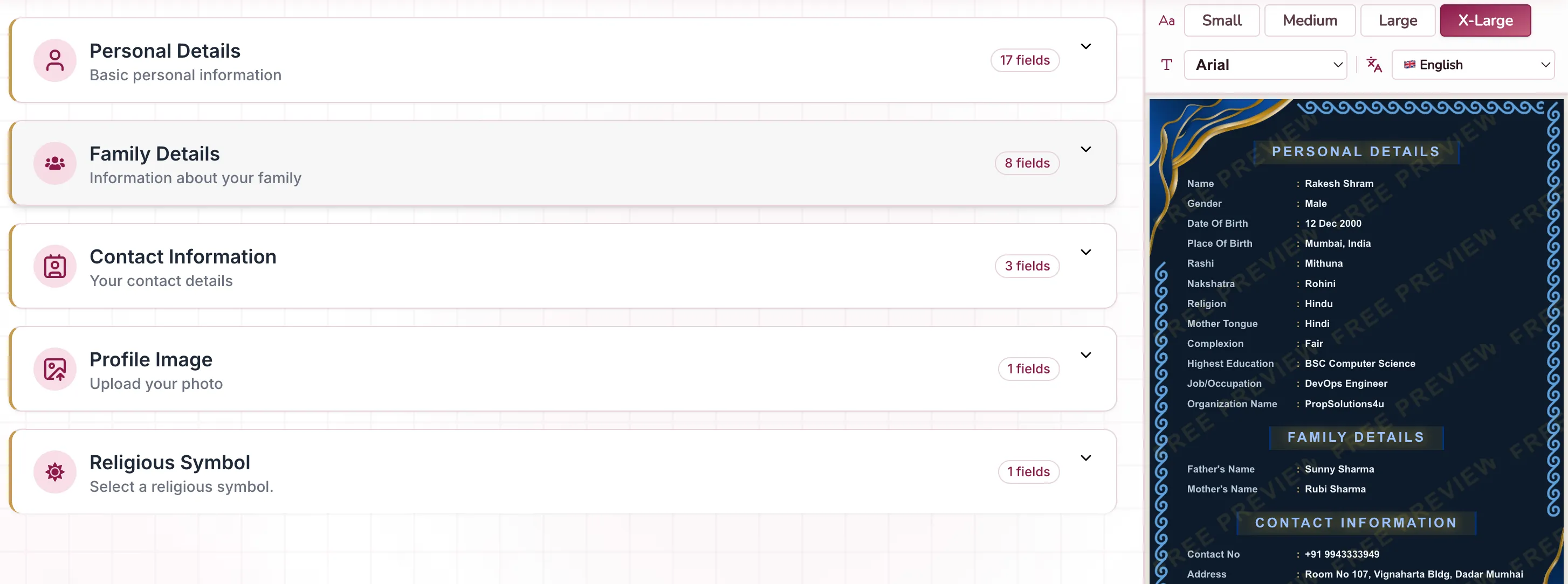
Follow these 4 simple steps to create your perfect marriage biodata online. The entire process takes less than 15 minutes, and you'll have a professional-looking biodata ready to share:
Start by filling in all your basic personal details. This forms the foundation of your marriage biodata and includes:
Be honest and accurate with all details. This information helps families understand who you are and whether you might be a good match for their son or daughter.
Important: Make sure all your information is accurate phone numbers, name, date of birth, and other important things. Small errors can create a bad first impression!
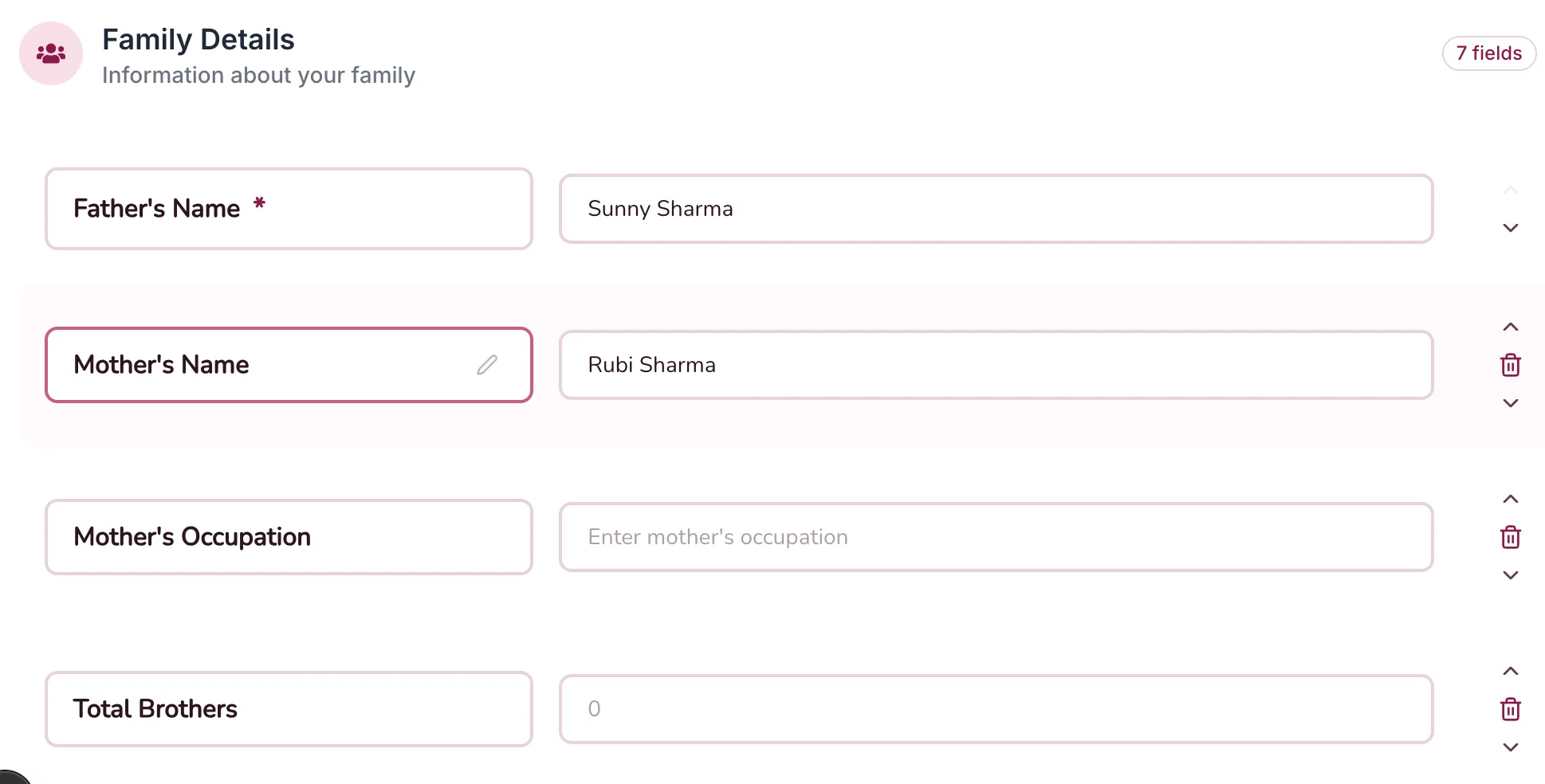
Family background is one of the most important sections in a marriage biodata. Provide comprehensive information about your family:
You can also include information about your ancestral roots or any notable family achievements. This helps prospective families understand your background and values.
Contact information is crucial as this is how interested families will reach out to you. Include:
Make sure these details are current and that you check them regularly. Some people also include social media profiles for easy verification.
Pro Tip: If comfortable, you may also mention social media profiles like LinkedIn for easy verification by prospective families.
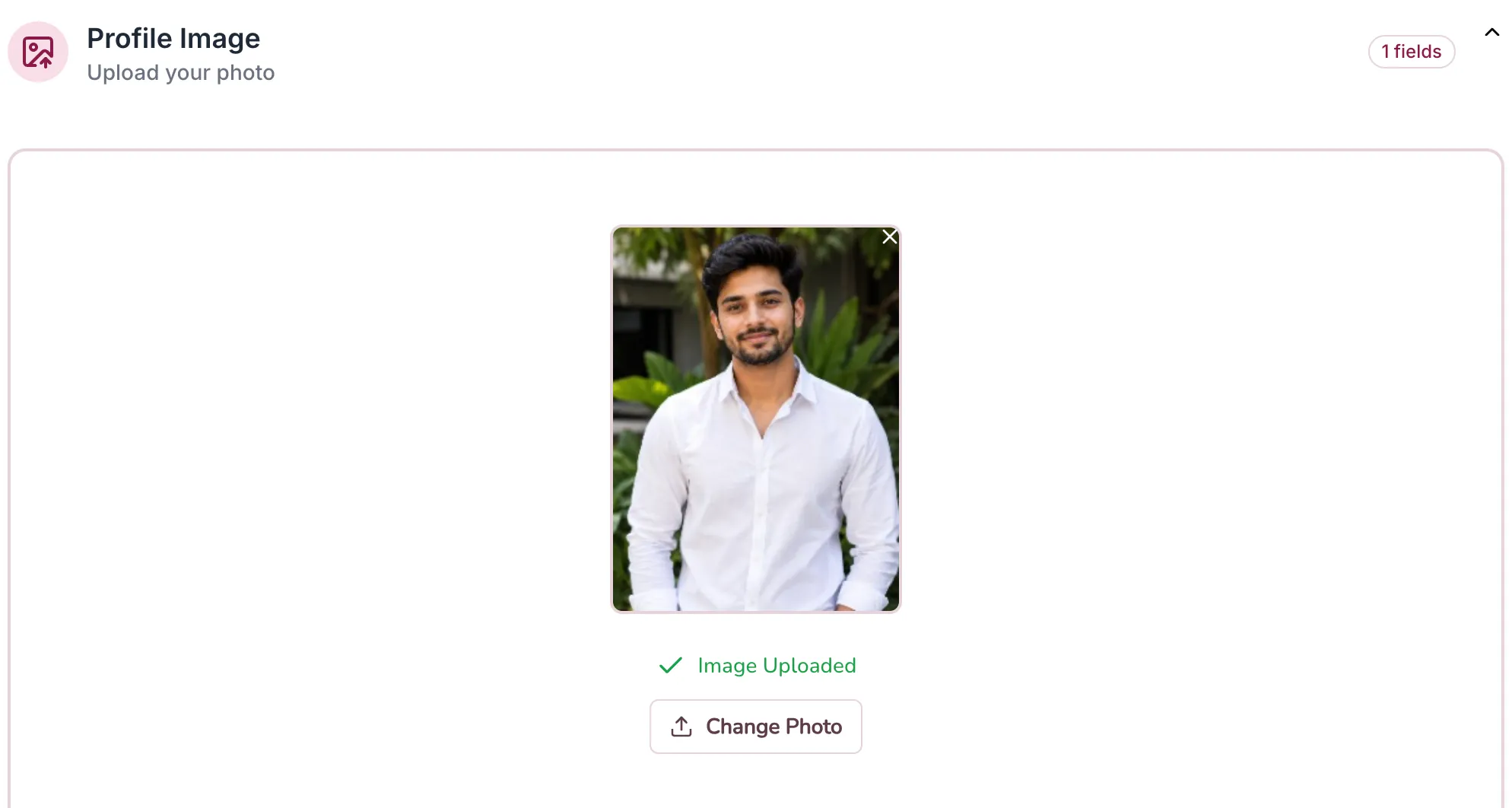
Your photograph is the first thing people notice on your biodata. Choose wisely:
A natural, neat, and presentable photo creates the best first impression. Professional photos or good-quality portraits work best.
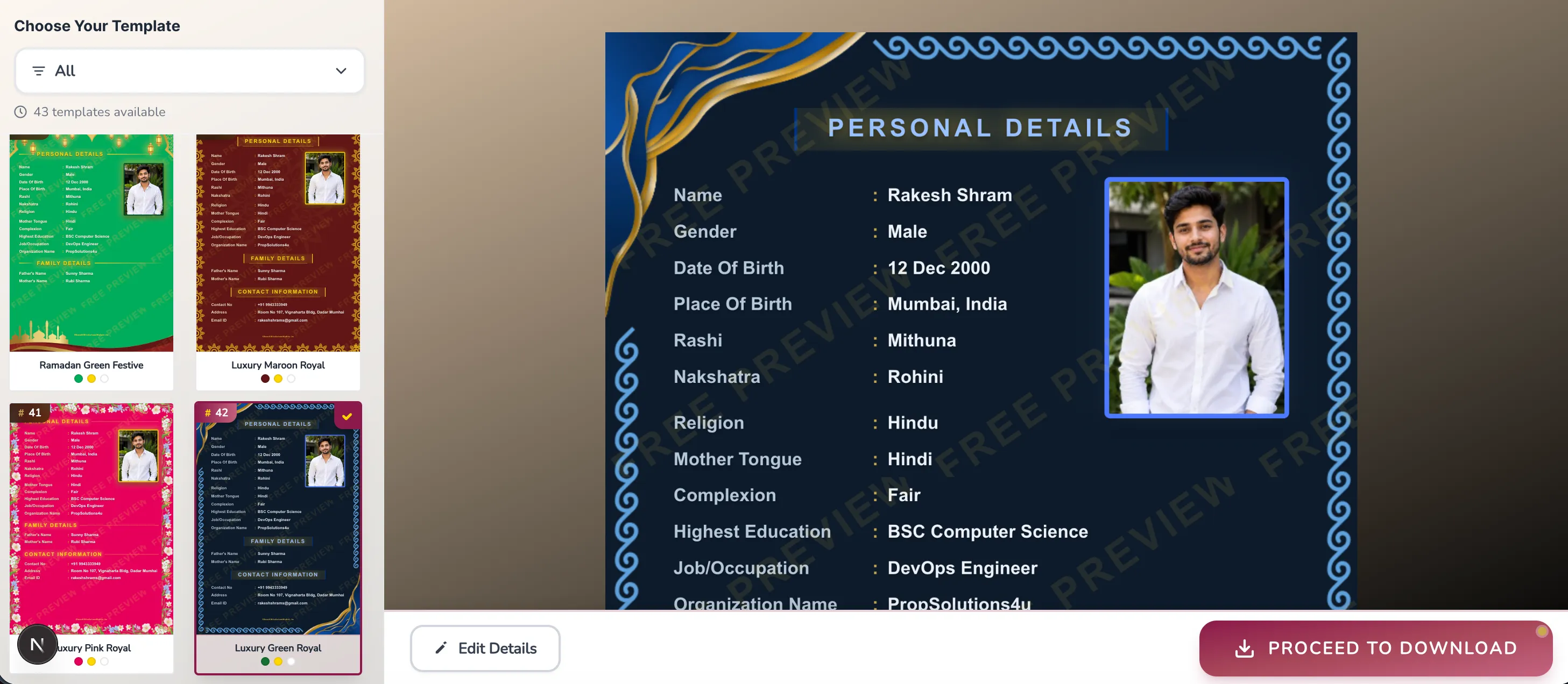
Once you've filled in all your information, you'll be taken to the Preview & Download page. This is where the magic happens! You'll see a large, beautiful preview of your biodata with all your information professionally laid out.
On this page, you can:
The best part? The preview is completely free! You can make as many changes as you want and see exactly how your biodata will look before downloading. Only pay when you're 100% satisfied with the result.
When you're happy with how your biodata looks, it's time to download! We offer two affordable plans to suit your needs:
Basic watermark free PDF, perfect for digital sharing and standard printing
View Pricing →After completing payment through our secure Razorpay payment gateway, your biodata will be available for immediate download. You'll also receive an email with a download link that remains valid for 30 days.
This means you can download your biodata multiple times within this period perfect if you need to print extra copies or share it digitally with different families.
Remember: Save the PDF to your phone, computer, AND cloud storage immediately after download. Your download link expires after 30 days for privacy protection.
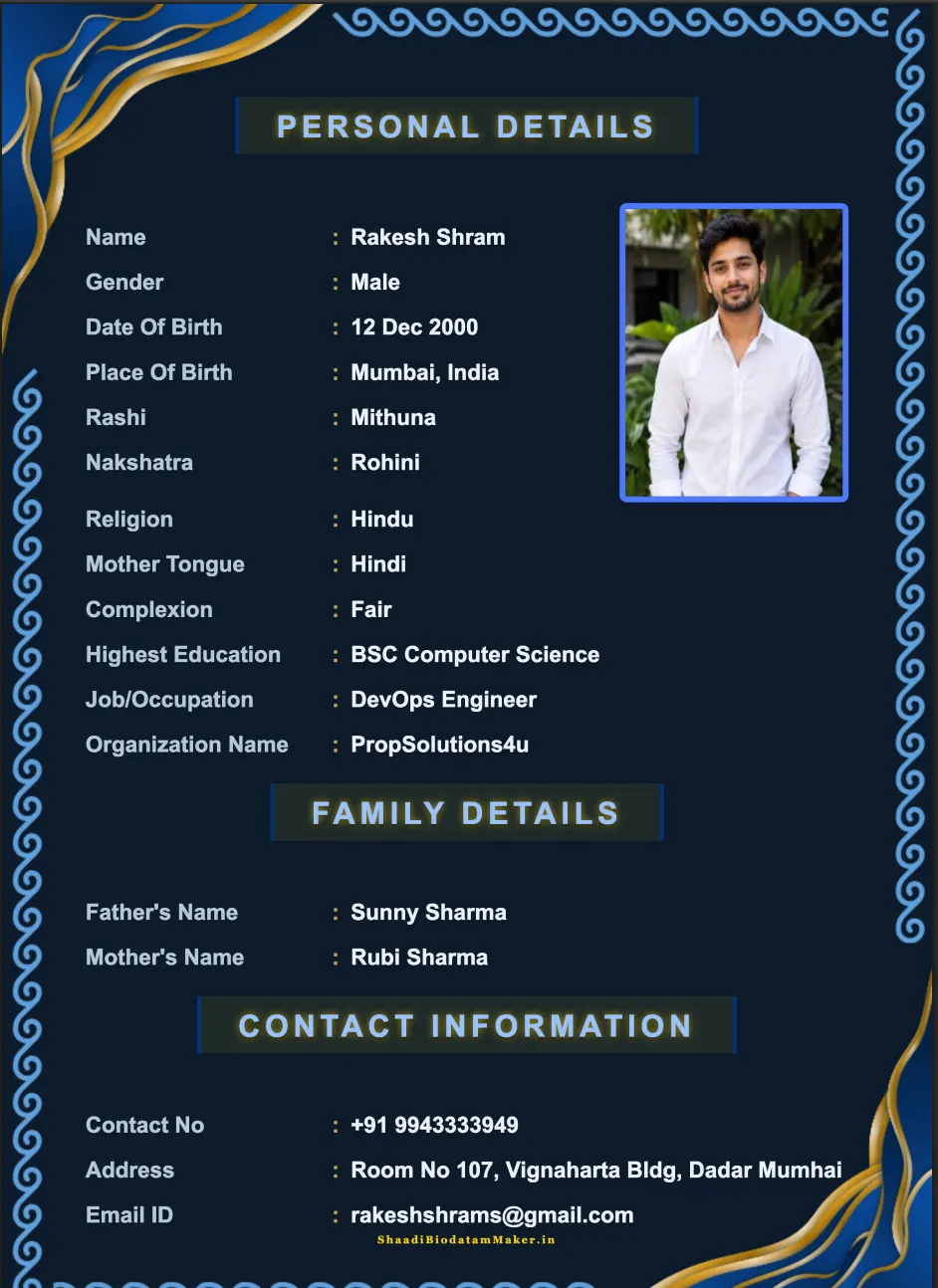
Different communities and regions in India have specific preferences when it comes to biodata formats. We offer professionally designed templates for all communities:
Traditional format including gotra, manglik status, rashi, nakshatra, and horoscope details. Features classic design elements with gold, maroon, and saffron colors perfect for Hindu matrimonial purposes.
Nikah biodata focusing on sect (Sunni/Shia), prayer practices, and Islamic values. Elegant, modest designs often incorporating Islamic patterns or calligraphy, emphasizing family background and religious commitment.
Modern format emphasizing church affiliation, denomination (Catholic/Protestant), and community involvement. Clean, minimal designs with subtle religious symbols, highlighting education and professional achievements.
Contemporary design for urban professionals and NRIs. Focuses on education, career achievements, and lifestyle compatibility. Clean, minimalist aesthetic with emphasis on qualifications and personal interests.
✨ Not sure which format is right for you?
Browse All Templates →Don't exaggerate your height, income, or qualifications. Don't hide important information. Any relationship built on false information is bound to fail. It's better to be genuine from the start.
Use a recent, high-quality photo where your face is clearly visible. Avoid selfies, group photos, or heavily filtered images. Professional photos create the best impression.
Spelling mistakes and grammatical errors create a poor impression. Read through multiple times and ask a family member to review it before downloading.
Provide complete information but avoid making it too lengthy. A well-organized biodata is ideal—it provides all necessary details without overwhelming the reader.
Yes! You can create and preview your biodata completely free. You only pay when you want to download the watermark-free PDF version.
The entire process takes about 10-15 minutes. If you have all your information ready, you can create a professional biodata even faster.
Yes! You can download your biodata unlimited times within 30 days from the date of payment. Perfect for printing extra copies or sharing digitally.
Both plans give you watermark-free PDFs. Silver plan includes a very small website branding at the bottom (barely noticeable), while Gold plan offers premium quality with enhanced resolution, making it perfect for professional printing. Silver is ideal for digital sharing and standard printing needs. Compare plans →
Absolutely! All your information is encrypted and stored securely. We never share your data with third parties. After 30 days, your biodata is automatically deleted from our servers for complete privacy.
Creating a marriage biodata online is simple, fast, and convenient. With the right platform, you can have a professional-looking biodata ready in just minutes. Gone are the days of struggling with Word documents or paying expensive fees to designers.
Remember, your biodata is your first introduction to potential matches and their families. Make it count by presenting yourself honestly, clearly, and professionally. Use a good photo, provide accurate information, and choose a template that reflects your personality and values.
Whether you're just starting your marriage search or updating an old biodata, our platform makes the process effortless. Need help? Contact our support team—we're here to assist you!
Start creating your professional marriage biodata in minutes. Choose from beautiful templates, customize to your liking, preview for free, and download instantly!
Create Biodata Now - It's Free! →